Government & LGU Solutions
Zoning & Land-Use Verification
Zoning and land-use verification: confirm actual use against the approved classification, with photographs and the location captured on site.
In the form library
- Zoning Compliance Inspection
- Land Use Conversion Compliance Inspection
- Subdivision and Condominium Project Inspection
- CARP Land Coverage Field Investigation
- Public Land Application Ocular Inspection
Starter forms you copy and edit. Your copy is yours.
The problem today
Locational clearances are issued against a declared use, and the actual use drifts. Without a site visit on record, the office cannot show that a property was checked before a clearance or a conversion was approved.
With InspectPH
How it works
- Verify use against the clearanceThe ZoneVerify form checks actual use, floor area, setbacks and unrecorded expansion against what was approved.
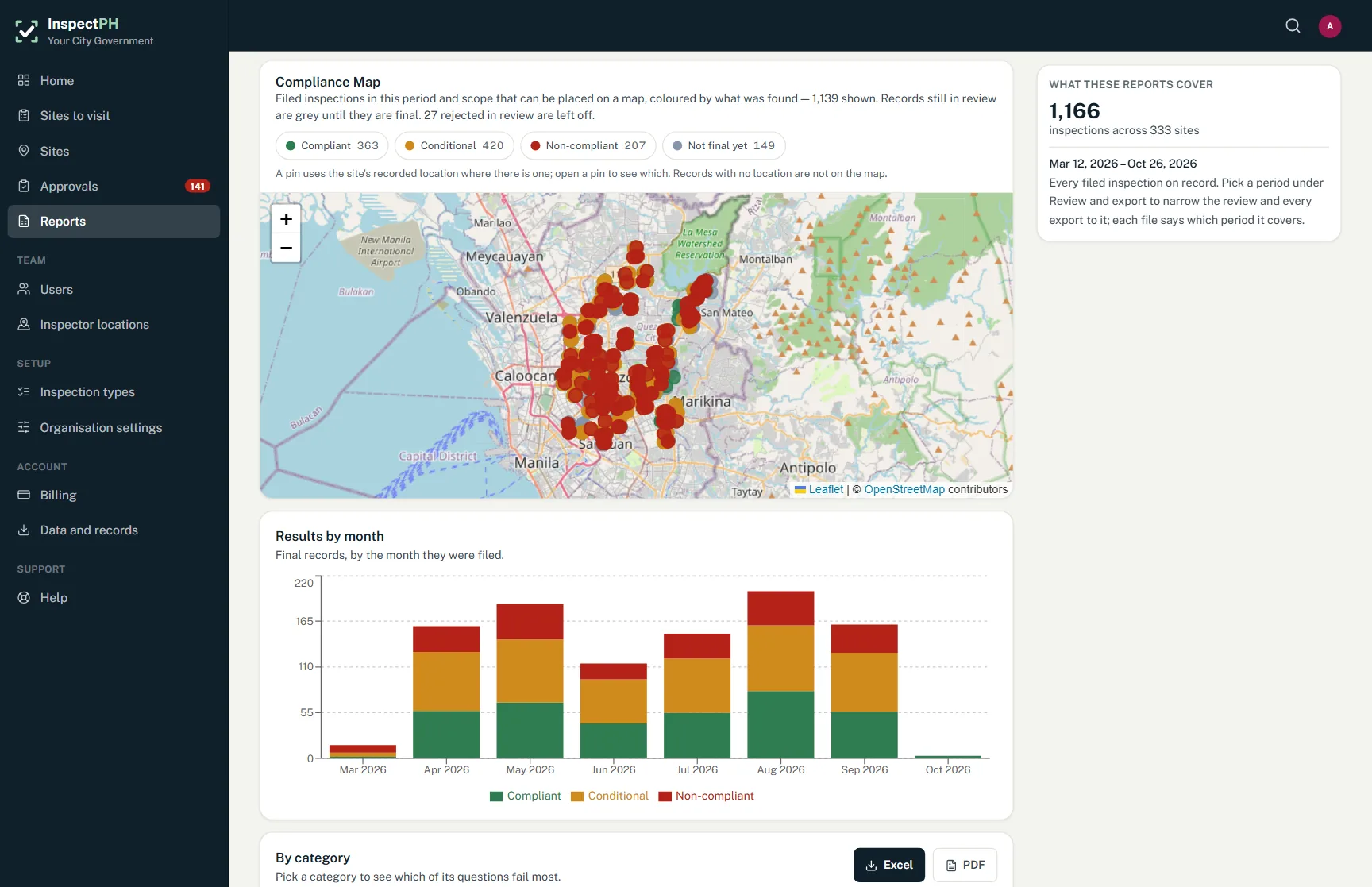
- Record where the inspector stoodThe phone records the location and the photographs are attached, so the verification can be placed on a map.
- Review before the clearanceA supervisor approves or returns the verification before the office acts on it.
- Follow conversionsThe land use conversion form records whether a converted property is being used as approved.
On the form
Typical checks
- Actual use matches the approved classification
- No expansion beyond the cleared floor area
- Setbacks observed
- Signage consistent with the declared use
- Photo of the frontage
Examples. You add, remove and reword items in the form builder.
On the Reports page
What you can see
- Verifications by barangay, with their results
- Properties found using more than their cleared area
- The zoning items failed most often
Filtered by period, category and province, city or barangay, and exported to Excel or PDF.
Start small
Start with one office or one site.
Tell us what you inspect. We will call to confirm the details, set up your inspection types, your forms and your site list, and you run real inspections with it.
Or call +63 917 578 6060, and you will get a person, not a queue.