Field verification and accountability
Know what's happening in the field.
InspectPH turns inspections, site visits and project checks into structured records with the evidence attached — so you can see what was done, who did it, where it happened, what was found, and what is waiting for your review.
Structured records Evidence attached Works with no signal
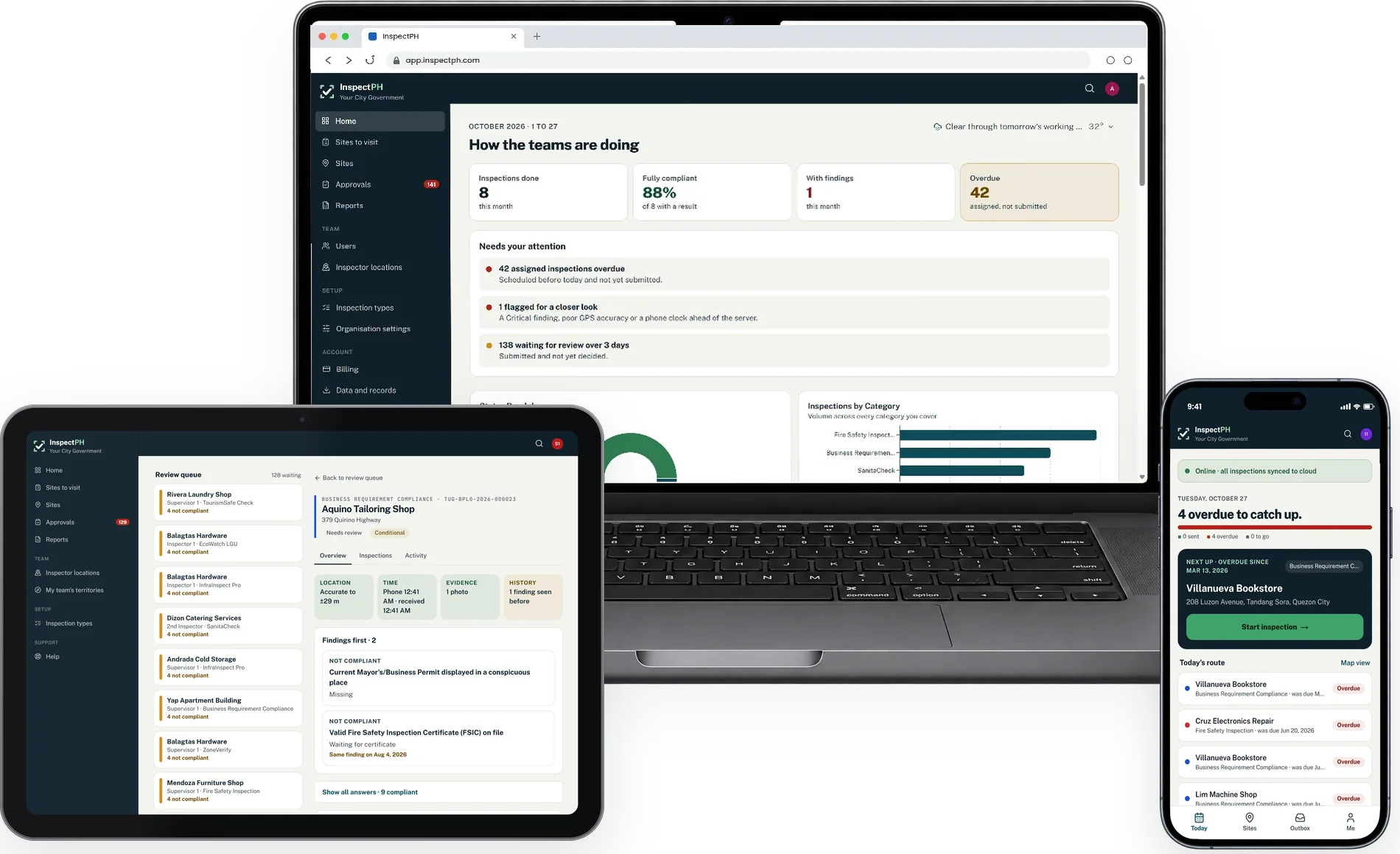
Works on any smartphone, tablet or computer.
Who it's for
One platform.
Built for different field operations.
The same inspection records, review workflows and reports, configured around how your teams work in the field.
For government agencies and LGUs
Business permits, fire safety, sanitation, engineering and environmental inspections. Each office can use its own forms, reviewers and schedules, while authorised provincial and national teams can oversee operations across multiple offices.
For businesses and contractors
Branch audits, project site inspections, punch lists, facility checks and service visits, all using your own forms and approval workflows, with supervisors overseeing their assigned areas.
Enterprise & Contractor Solutions → Infrastructure & Projects → Facilities Management →
The problem
Inspections still run on paper, memory and follow-ups.
The work happens at the site. Everything after it is done by hand: carried back, retyped, signed, chased and counted. Every step is a chance for something to be lost, delayed or changed.
So what is actually happening out there?
Done the manual way, you only learn what was done once someone hands it in, and nothing tells you what was skipped.
Features
From scattered paperwork to one verifiable record.
Every inspection, photo, finding and site location in one system, even without an internet connection.
Forms arrive at the office days later and need manual encoding.
Findings, photos, timestamps and decisions stay together.
Addresses are written by hand, so sites are hard to pinpoint on a map.
Capture site coordinates on site and see inspection locations on a map.
Photos and findings are stored or sent separately.
On-site photos are attached directly to the inspection they belong to.
Supervisors wait for forms to be handed in before they can review results.
Inspect without a signal; records sync when the connection returns.
Approvals, corrections and inspection history are spread across files.
Reference numbers, approvals, returns and every recorded action are tracked.
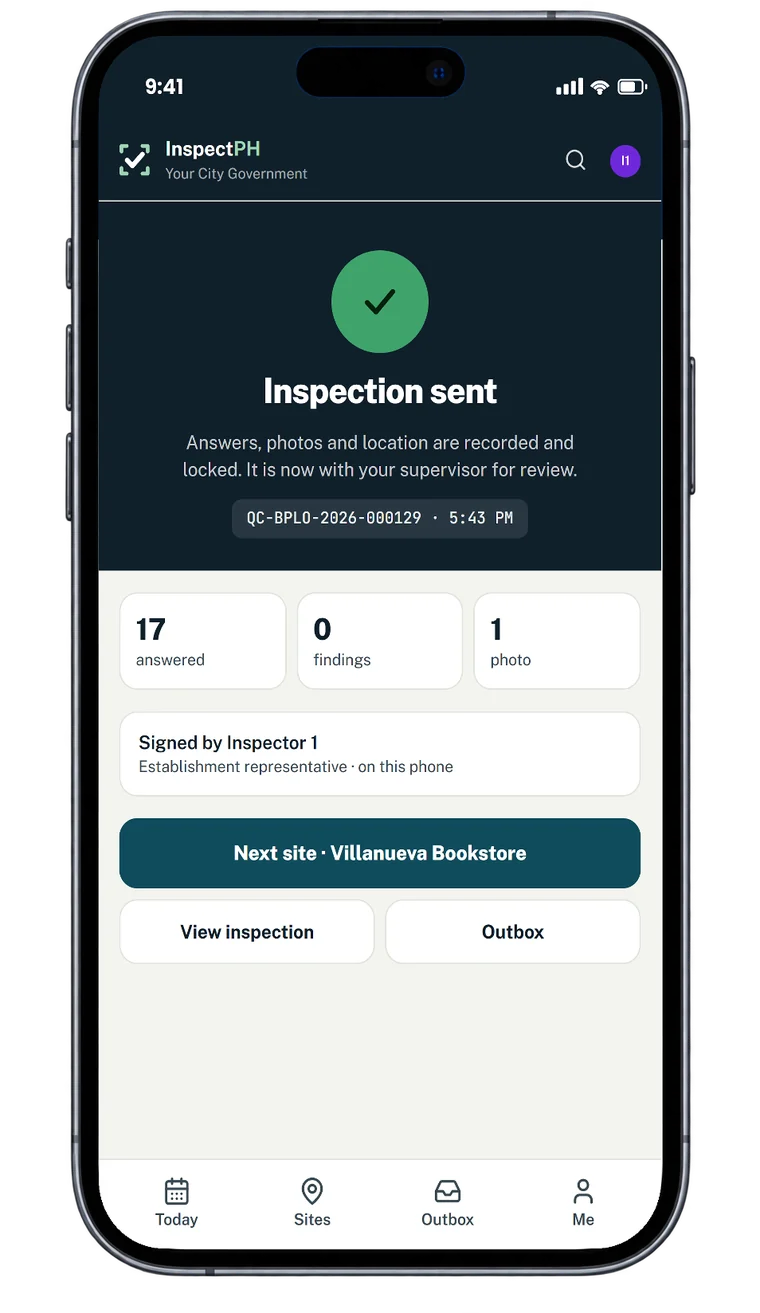
What every record carries
Three perspectives
One system.
Three ways to see the operation.
Field
Inspect
Your own checklist on the phone the inspector already carries, with the photographs attached as they are taken.
Office
Review
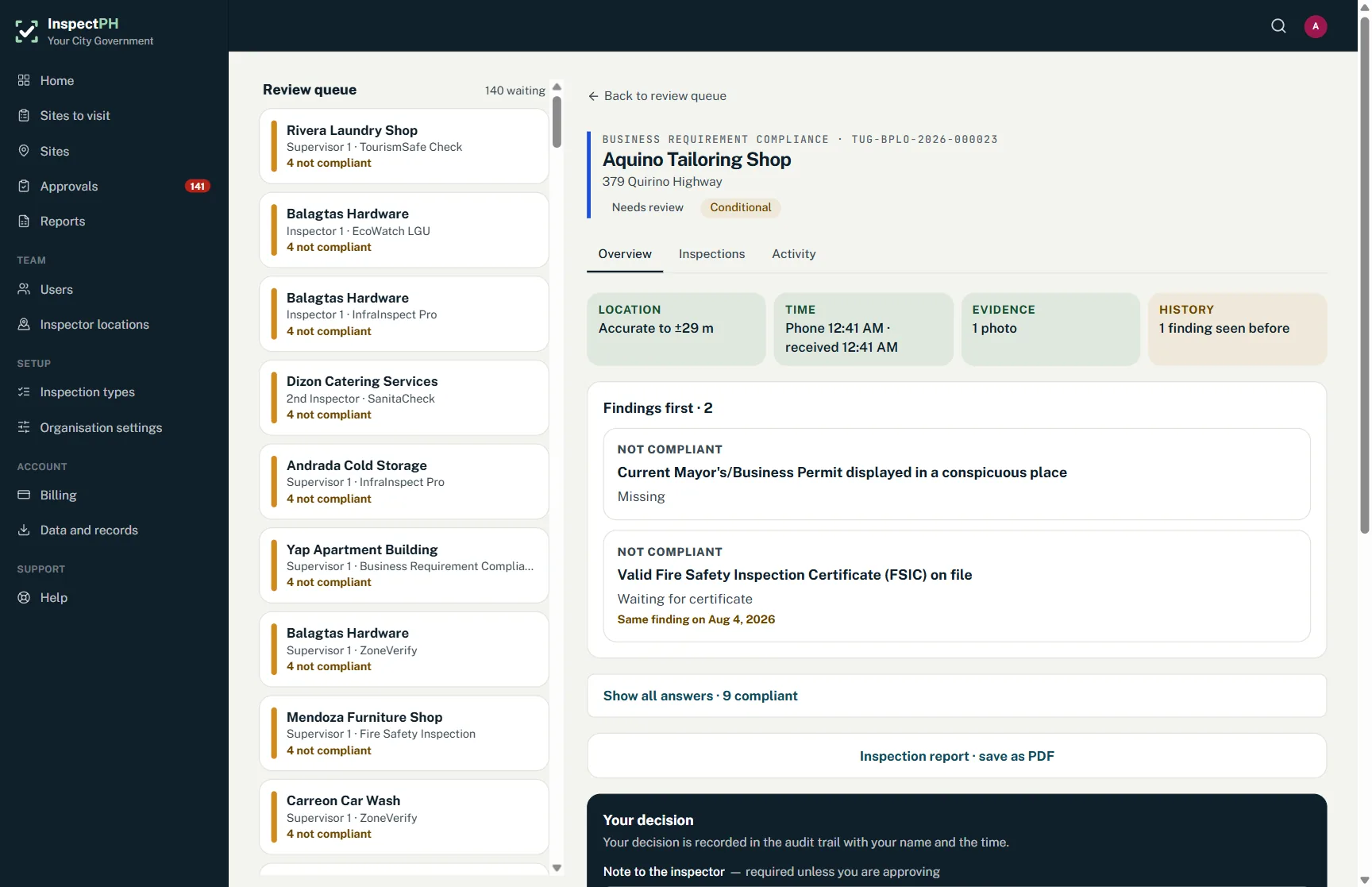
Submissions arrive complete. A supervisor approves, or returns one with a written reason the inspector can act on.
Management
Know
Volume, outcomes and coverage counted from the records themselves — not from whoever prepared the slide.
For decision-makers
Stop asking for status reports.
See the results.
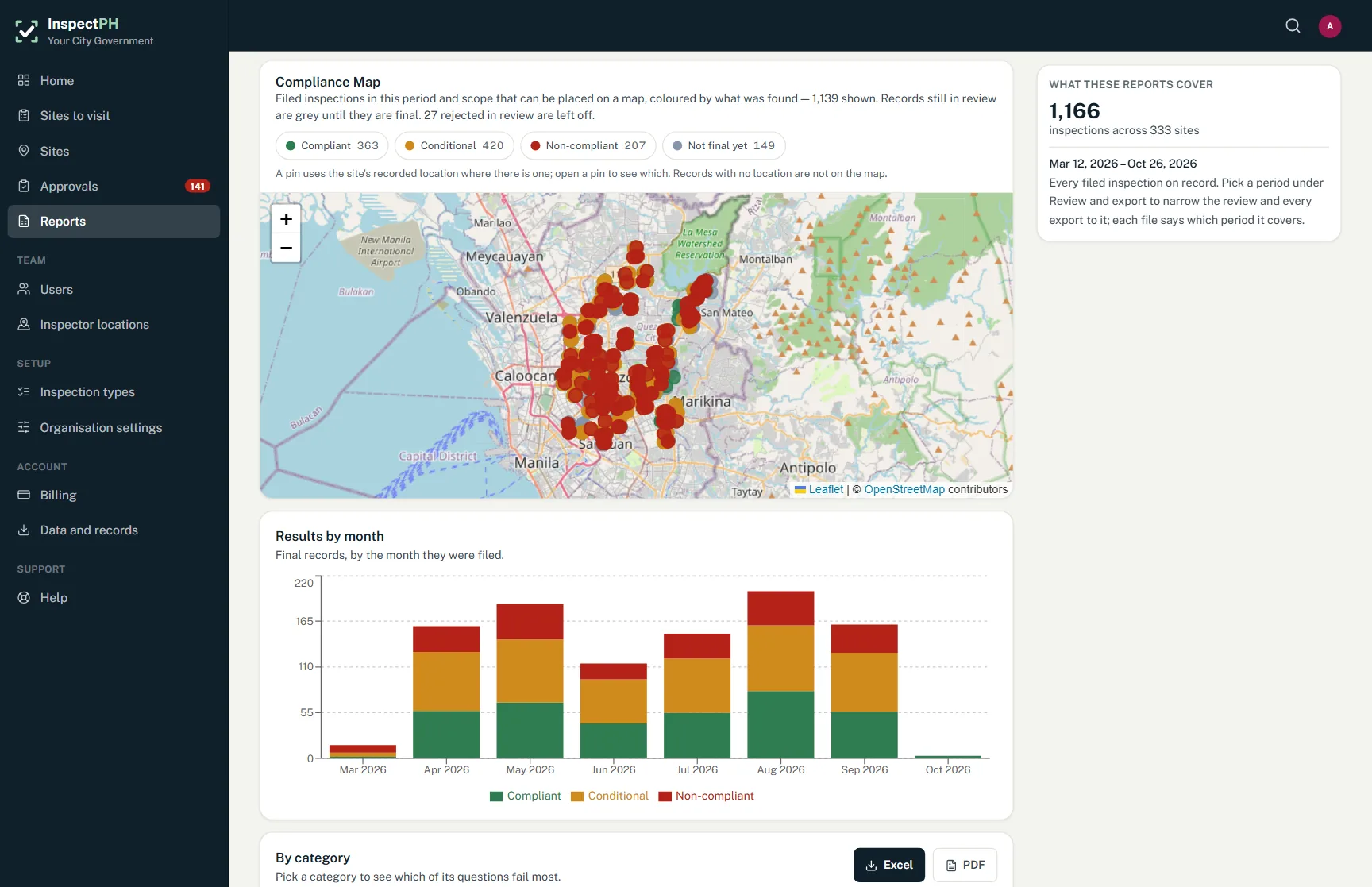
When the mayor, the board or the regional office asks for an update, authorised decision-makers can view inspection progress, findings and compliance results directly in InspectPH. The information is there anytime, not waiting for the next report.
Oversight across offices
One view. Multiple offices. Clear accountability.
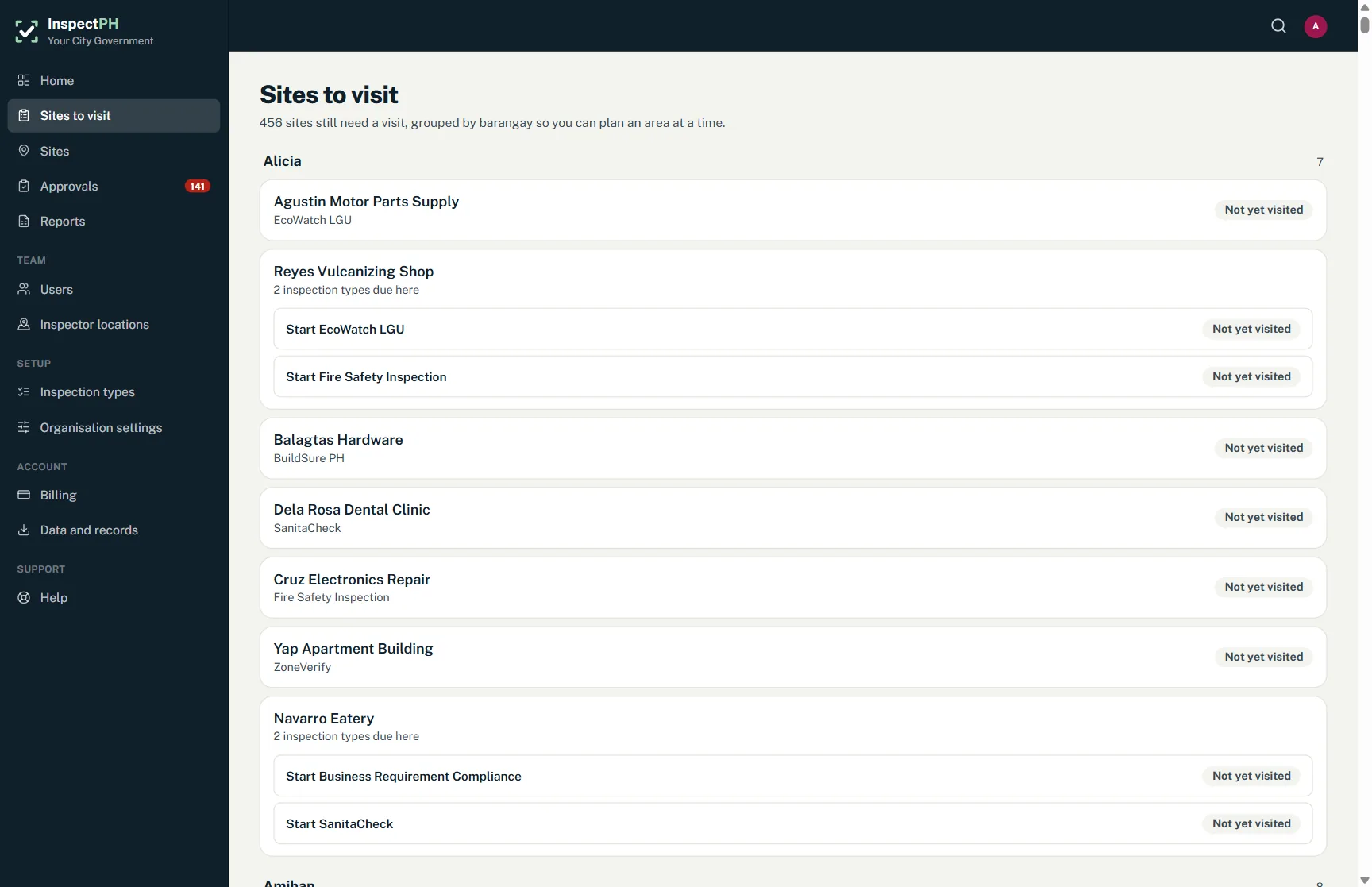
Authorised provincial, national or head-office personnel can access a read-only overview across multiple offices, including consolidated figures, inspection activity and site maps. Access is limited to filed records, and each office's administrators can see who has been granted oversight access.
Field reality
No signal shouldn't stop an inspection.
The sites that need inspecting don't always have reliable coverage. InspectPH lets field teams keep working offline, so poor connectivity doesn't have to mean missing records.
How it's done today
The same work, side by side.
Most inspections in the Philippines still run on paper forms, phone photos and a report typed up at the end of the month. Here is the same work in comparison.
Printed checklists sometimes get damaged or lost.
Each inspection is saved on the phone the moment it's filled in.
Photos stay on the phone or get sent to different messaging apps.
Every photo is attached and synced to the record.
Forms arrive days later and must be manually encoded into Word or Excel.
The inspection reaches the office as soon as there's signal, with a reference number.
No signal means you can only use printed forms.
Inspectors keep working offline, and it syncs by itself later.
Manually digging through files and folders just to check if a site was inspected.
Every site shows its history, who inspected it, and where it is on the map.
Approvals mean routing paper for signatures and following up in person.
The supervisor can review, approve or issue a notice anytime, from anywhere.
Building a report takes days of compiling by hand.
Reports are ready anytime, and you can export them to Excel or PDF.
Nobody can tell if a form was changed after it was signed.
Every change is recorded, and the history can't be edited.
Heads of office only see results once someone prepares a summary.
Heads of office and managers can view results and the compliance map anytime.
You don't have to throw out what already works. InspectPH replaces the paper, the group chats and the retyping, not your people or your process.
Trust and control
Built for operations that demand accountability.
Specific safeguards. Clear responsibilities. Controls your organisation can verify.
Start small
Start with one department.
Prove the difference.
Tell us which office you manage and what it inspects. We'll discuss your workflow, configure your inspection types and checklists, and help prepare your site list so your team can test InspectPH on real field inspections.
Start with one department. See how it works in practice before expanding to others.
If InspectPH isn't the right fit for your workflow, we'll tell you early.
Or call +63 917 578 6060 — you will get a person, not a queue.