Field Operations & Verification
GIS-Linked Field Data Collection
Field records with coordinates: the location captured on the phone, a map of every record, and latitude and longitude in the exports for your GIS.
Your own form
There is no single starter form for this. You build the checklist in the form builder, in the words your office already uses, or copy the nearest form in the library and change it.
The problem today
Field data that has no coordinates cannot be mapped, and coordinates typed in by hand cannot be trusted.
With InspectPH
How it works
- Capture the location on the phoneThe location field reads the device's position at the site, with its accuracy. It cannot be typed in.
- Learn each site's locationA site with no recorded coordinates learns its location from the inspections filed there, so it can be mapped.
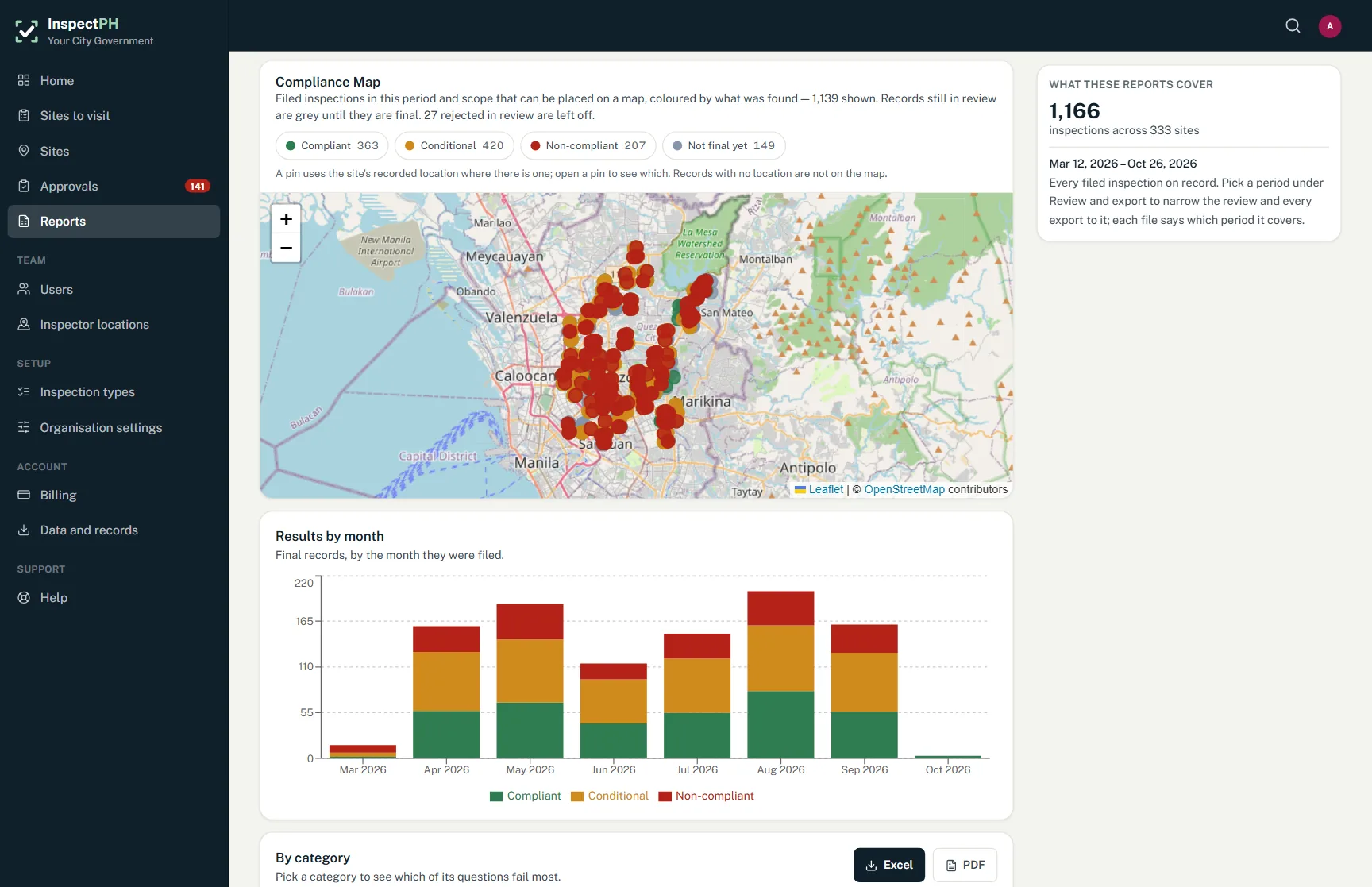
- See it on the compliance mapEvery located record appears on the map, coloured by result, and the page says how many have no location rather than hiding them.
- Take it into your GISThe inspection log and report pack export latitude and longitude with each record, ready for QGIS or ArcGIS as a CSV layer.
On the form
Typical checks
- Captured location with accuracy
- Site coordinates
- Barangay, city and province
- Result and date for each point
Examples. You add, remove and reword items in the form builder.
On the Reports page
What you can see
- Every record on a map, filtered by period, category and area
- Records with no location, counted
- Coordinates in every Excel export
Filtered by period, category and province, city or barangay, and exported to Excel or PDF.
Start small
Start with one office or one site.
Tell us what you inspect. We will call to confirm the details, set up your inspection types, your forms and your site list, and you run real inspections with it.
Or call +63 917 578 6060, and you will get a person, not a queue.