Field Operations & Verification
Offline & Remote-Area Fieldwork
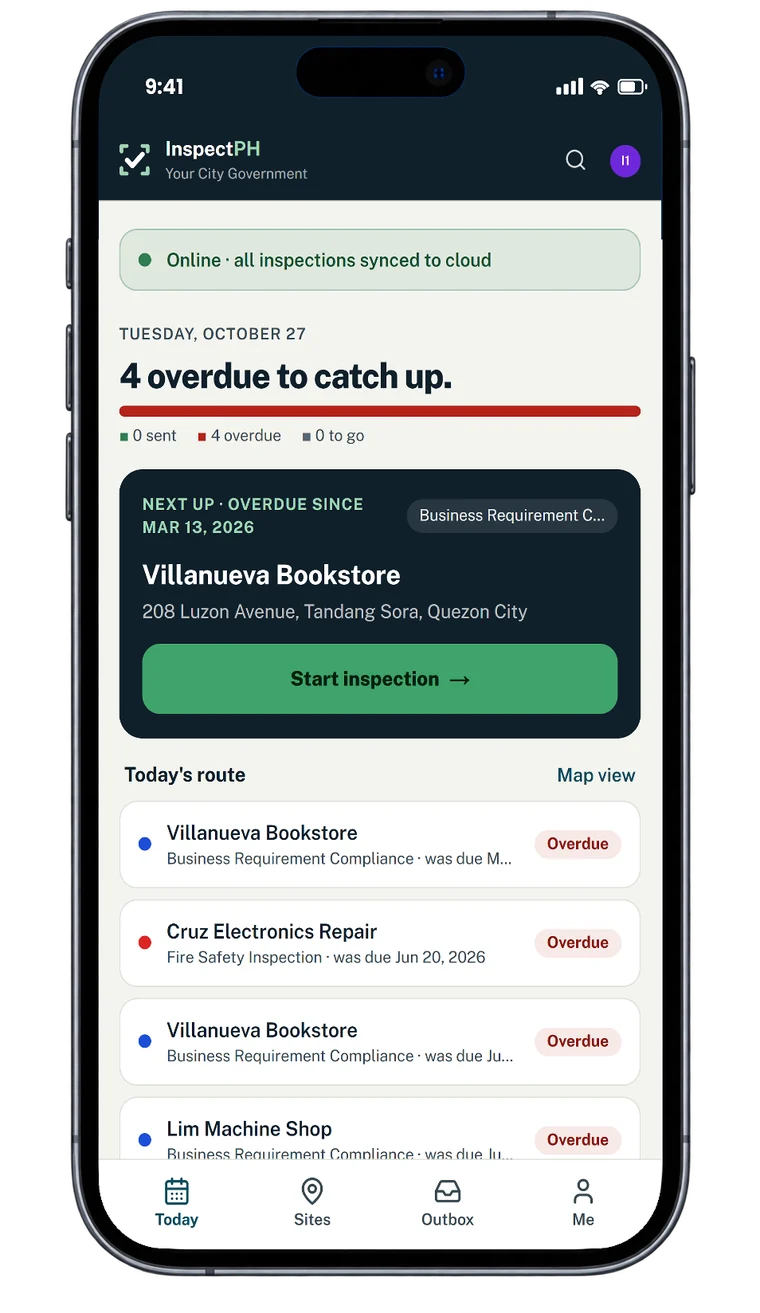
Inspections that work with no signal: forms and assignments on the phone, photographs captured offline, records sent automatically when back in range.
Your own form
There is no single starter form for this. You build the checklist in the form builder, in the words your office already uses, or copy the nearest form in the library and change it.
The problem today
The places that most need inspecting often have no signal. A tool that needs a connection at the site turns into a paper form and a re-typing job.
With InspectPH
How it works
- Get ready before leavingThe phone keeps the inspector's forms and sites so the day's work is available offline.
- Inspect with no connectionThe whole inspection, photographs and location included, is completed offline.
- Sends itselfFinished inspections wait in the phone's outbox and send automatically when a connection returns. The reference number is issued on send.
- Nothing lost quietlyThe outbox shows what is waiting and what could not be sent, so nobody assumes a record arrived when it did not.
On the form
Typical checks
- Works on any phone, tablet or computer
- Forms available offline
- Photographs offline
- Location offline
- Automatic send
Examples. You add, remove and reword items in the form builder.
On the Reports page
What you can see
- Records as they arrive from the field
- Where each record was filed
- What is still waiting in an outbox
Filtered by period, category and province, city or barangay, and exported to Excel or PDF.
Start small
Start with one office or one site.
Tell us what you inspect. We will call to confirm the details, set up your inspection types, your forms and your site list, and you run real inspections with it.
Or call +63 917 578 6060, and you will get a person, not a queue.